One UI 9 Beta Update Expands to More Galaxy Devices Now
Samsung just openedSamsung just opened the floodgates! The One UI 9 beta update is no longer locked to exclusive flagships—it is officially expanding to millions of Galaxy smartphones, foldables, and wearables worldwide. Powered by Google’s Android 17 platform guidelines and next-level Galaxy AI features, this major update transforms how your device looks, feels, and performs….
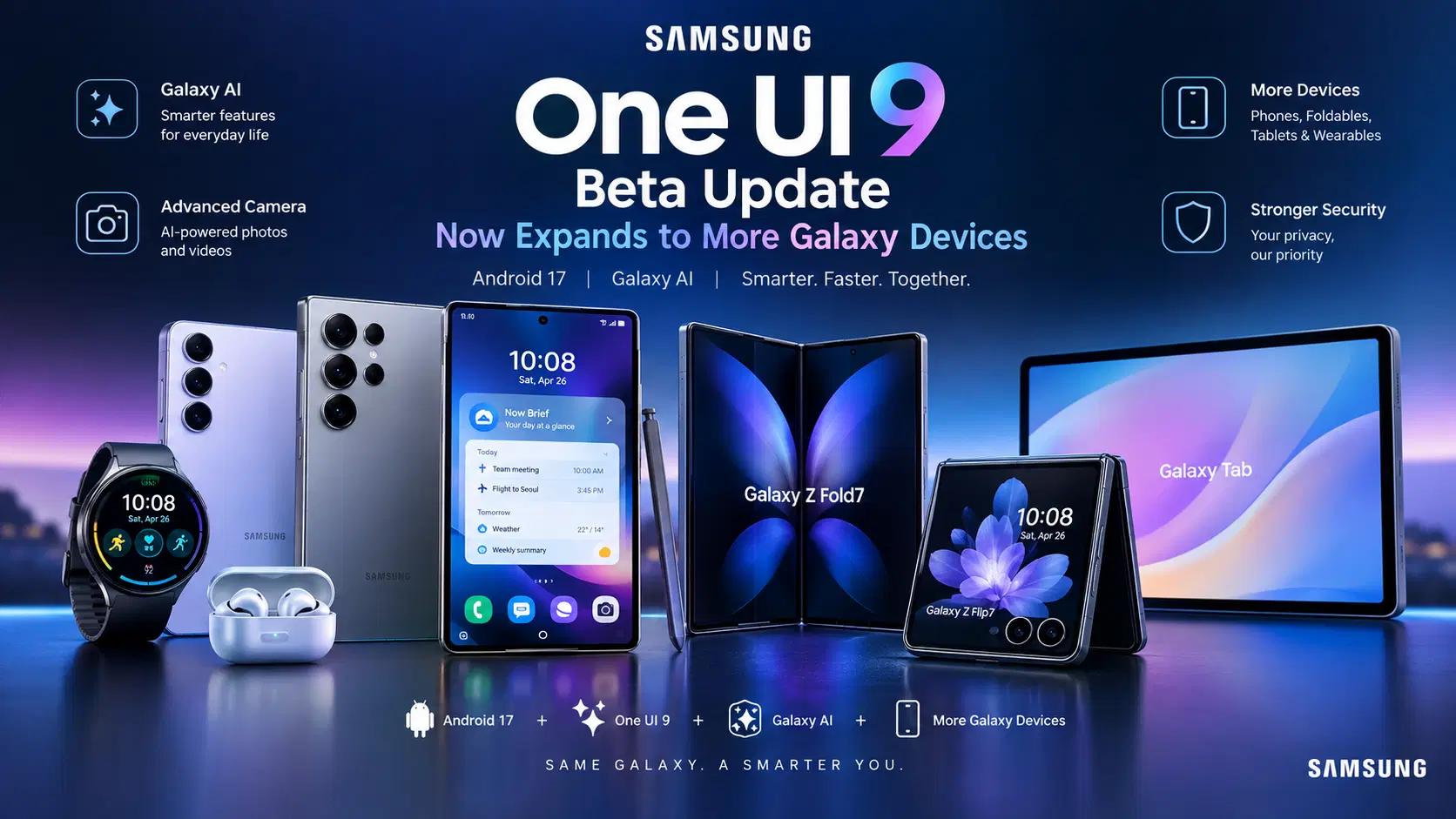
Samsung just openedSamsung just opened the floodgates! The One UI 9 beta update is no longer locked to exclusive flagships—it is officially expanding to millions of Galaxy smartphones, foldables, and wearables worldwide.
Powered by Google’s Android 17 platform guidelines and next-level Galaxy AI features, this major update transforms how your device looks, feels, and performs. Whether you want faster multitasking, custom lock screen widgets, or local camera tricks, here is everything you need to know about supported devices and how to install the update today.
1. One UI 9 Beta Update: Supported Devices & Global Rollout

Samsung is accelerating its software deployment. According to official firmware coverage on the official Samsung Newsroom portal, the beta rollout is expanding across North America, Europe, Asia, and India, bringing cutting-edge software to a wider audience:
- Galaxy S Series: Galaxy S25, S25+, S25 Ultra, and S25 FE. (Galaxy S26 series testing is already well under way).
- Galaxy Foldables: Galaxy Z Fold7 and Galaxy Z Flip7.
- Galaxy A Series: Select fan-favorite mid-rangers, including the Galaxy A56 and A36.
- Galaxy Wearables: Galaxy Watch 7, Watch Ultra, and Watch 6 series.
The One UI 9 beta update enrollment portal is live inside the Samsung Members One UI Beta Hub for key markets, including the US, UK, South Korea, and India.
2. Game-Changing Features inside the One UI 9 Beta Update
This isn’t just a basic design update—it is an AI-driven transformation built to save you time and maximize performance.
A. Next-Gen Galaxy AI & Camera Tools
- My FanCam: An AI video feature that locks focus onto a specific subject and automatically reframes your clips into perfect social media aspect ratios.
- Now Brief & Now Nudge: Smart lock screen cards that learn your routines, surfacing dynamic travel prompts, weather updates, and security alerts when you need them.
- On-Device Photo Assist: Speak or type natural text prompts to remove unwanted objects or generate backgrounds locally via your phone’s NPU.
B. Sleeker Visuals & Instant Controls
- Redesigned Quick Panel: Thickened volume sliders, cleaner toggle tiles, and customizable controls.
- Dynamic Lock Screen Waveforms: A vibrant, dancing soundwave animation that syncs live to your playing music.
Eligible Device Snapshot
| Device Category | Supported Models | Active Beta Regions |
| Flagship Tier | Galaxy S25, S25+, S25 Ultra, S25 FE | US, UK, South Korea, India |
| Foldable Tier | Galaxy Z Fold7, Galaxy Z Flip7 | Global Test Server Hubs |
| Mid-Range Tier | Galaxy A56, A36, S24 FE | UK, India, South Korea |
| Wearable Series | Galaxy Watch 7, Watch Ultra, Watch 6 | US, South Korea |
3. How to Install the One UI 9 Beta Update in Under 3 Minutes

Ready to test Android 17 before everyone else? Follow these quick setup steps:
- Open Samsung Members: Launch the Samsung Members app on your Galaxy device.
- Tap the Beta Banner: Locate and tap the One UI 9 Beta Program registration banner under the Notices tab.
- Register Your Account: Accept the terms and click Enroll.
- Trigger Software Download: Go to Settings > Software Update > Download and Install. The update package will appear on your screen shortly.
Pro Tip: Always run a full backup via Samsung Smart Switch before installing beta software to keep your personal files completely safe!
4. Privacy, Security, and System Stability
Samsung ensures that early test software does not compromise your private data:
- Hardware Knox Vault: Your biometrics, saved passwords, and private apps remain isolated at the hardware level.
- Location Access Transparency: A clear status indicator alerts you instantly whenever an active app accesses your location.
- Easy One-Click Rollback: If you encounter app bugs, you can opt out via Samsung Members and restore your phone to stable software anytime via desktop.
For further hardware privacy standards, check out the official Connectivity Standards Alliance security guidelines.
If you are following new device leaks and mobile releases, make sure to read our detailed guide on latest flagship smartphone technology trends.
5. Strategic Advantage: One UI 9 vs. Standard Operating Systems
Unlike stock mobile software, Samsung’s custom interface focuses heavily on seamless multi-device productivity:
- Quick Share & AirDrop Compatibility: Effortlessly transfer high-res photos and files between Galaxy devices and iPhones in both directions.
- Multi-Window Mastery: Enhanced drag-and-drop actions turn your foldable or smartphone into a desktop-like workstation.
Frequently Asked Questions
Will installing the One UI 9 beta update void my phone warranty?
No, enrolling through the official Samsung Members app is fully supported and will never void your official hardware warranty.
Do mobile banking apps work on beta software?
Most financial apps work fine, but select high-security banking apps may temporarily pause access until developers issue official security certificates for the final software build.
Conclusion
The expansion of the One UI 9 beta update proves Samsung is doubling down on raw performance, useful AI tools, and refined design. If your phone is on the eligible list, jump in today and experience the future of Galaxy software!